
App Support (v1.0)
Home
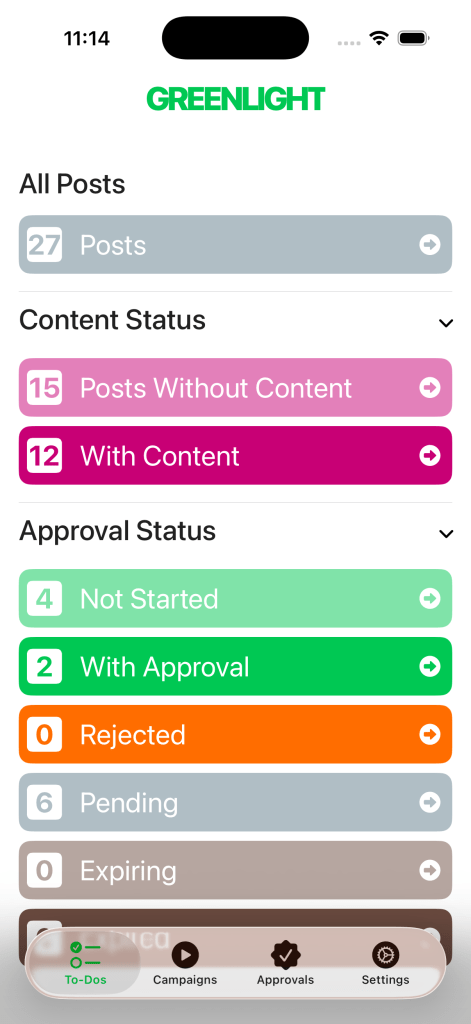
The Home view summarizes all of the posts you’ve created in three grouping sets.
The first grouping set includes All Posts. The second grouping set organizes posts by Content Status. The third grouping set organizes posts with Content by Approval Status.
Campaigns
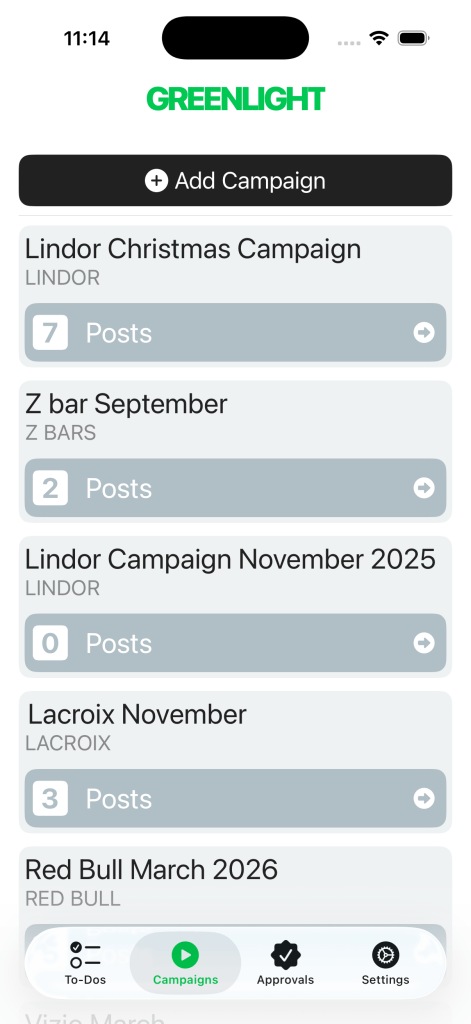
The Campaigns page is where social content is organized.
Campaigns are added under Brands. Once a campaign has been started Posts can be added to it. Posts hold the content and caption. With content uploaded an Approval may be opened.
Approvals
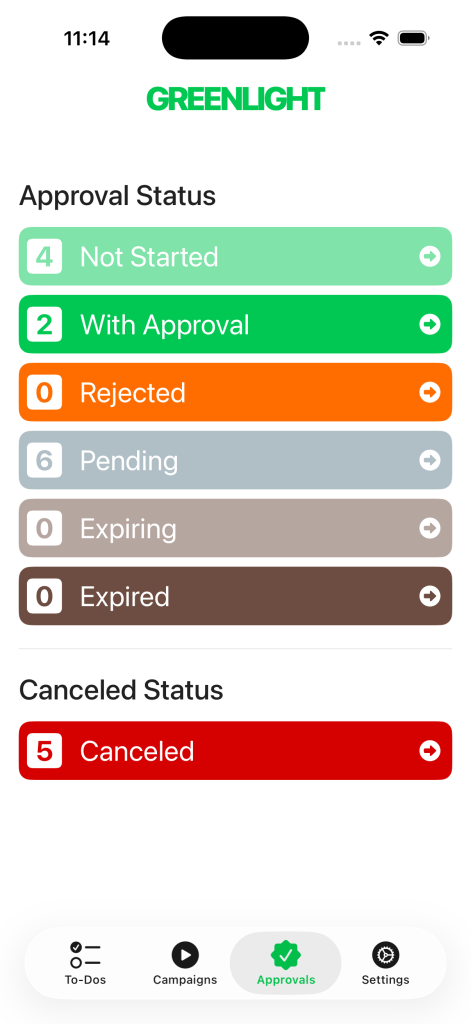
The Approvals page organizes the open approvals by their progress.
Posts with content but no Approval yet are listed under “Not Started.” Links sent to Approvers expire after 1 hour. New links can be sent for Pending Approvals.
Settings
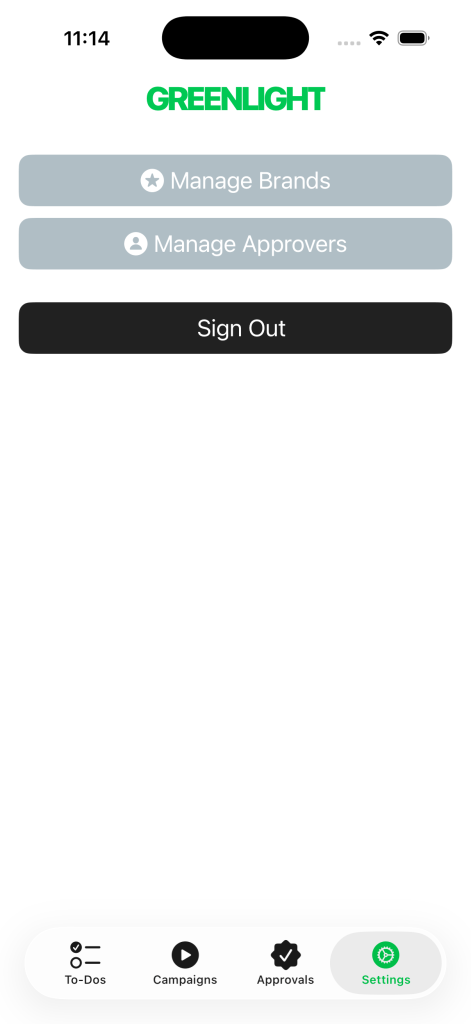
The Settings page is where you can manage the list of Brands and Approvers.
Once a Brand or Approver has been added they cannot be deleted. They are preserved for historical consistency. A Brand or Approver may be marked inactive by swiping it right. Swipe left to reactivate. Deactivated Brands or Approvers do not show up when creating Campaigns or Approvals.
General
What should I do if the app is unresponsive?
If the app freezes, the best thing to do is swipe up from the bottom and swipe again to force-close the app. Once the app is closed you can re-open and try again.
How do I know I have the latest version?
You can check the version of the Greenlight app you have downloaded on your device by accessing the app in the App Store.
Will it work on my version of iOS?
The Greenlight app was designed to work in iOS 26. To optimize app performance, iOS should be kept updated.
Storage & Data
How do I free up storage on my device?
To check the storage on your device go to Settings > General. In the first section you will see iPhone Storage. You can review storage recommendations and a list of apps with the amount of space they are taking up.
Won’t the app take up a lot of storage on my phone?
Videos and images uploaded in the app are stored in the cloud. They are streamed from the cloud directly to the app. Local storage on your device should be minimal.
Can I download a copy of my data?
Accounts are managed by your organization. Individual users are not able to download data from the app itself. Data requests should be sent to support@tamaracknv.com.
Need More Support?


 Tamarack Development Co.